
Digital Eye Strain at Work: Simple Habits to Ease It


Digital eye strain at work is the tired, dry, slightly aching feeling behind your eyes after a long day of screens — and if you work at a computer, you almost certainly know it. The good news is that it is largely preventable with a handful of simple habits: rest your eyes on a schedule, blink on purpose, fix your lighting and screen distance, and give your eyes real breaks. I have leaned on these routines for years, and they take minutes to adopt.
Also called computer vision syndrome, digital eye strain is not a disease and rarely causes lasting damage. But it drags down comfort and focus in a way that quietly costs you productivity. A pooled analysis of 103 studies covering more than 66,000 participants put the prevalence of computer vision syndrome at roughly 66% of regular screen users, according to a meta-analysis published in the Journal of Optometry. In other words, most of us at a desk are dealing with some version of this.
Key Takeaways
- Digital eye strain at work affects roughly two-thirds of regular screen users and stems from prolonged close focus, reduced blinking, glare, and poor screen setup.
- The 20-20-20 rule — every 20 minutes, look at something 20 feet away for 20 seconds — is the simplest habit to build, endorsed by the American Optometric Association.
- Blinking drops sharply at screens, so deliberate blinking and hydration help keep eyes comfortable.
- Lighting, screen distance, and text size matter as much as break timing.
- Small screen and lighting tweaks also cut wasted energy, a modest but real sustainability win.
What Causes Digital Eye Strain At Work?
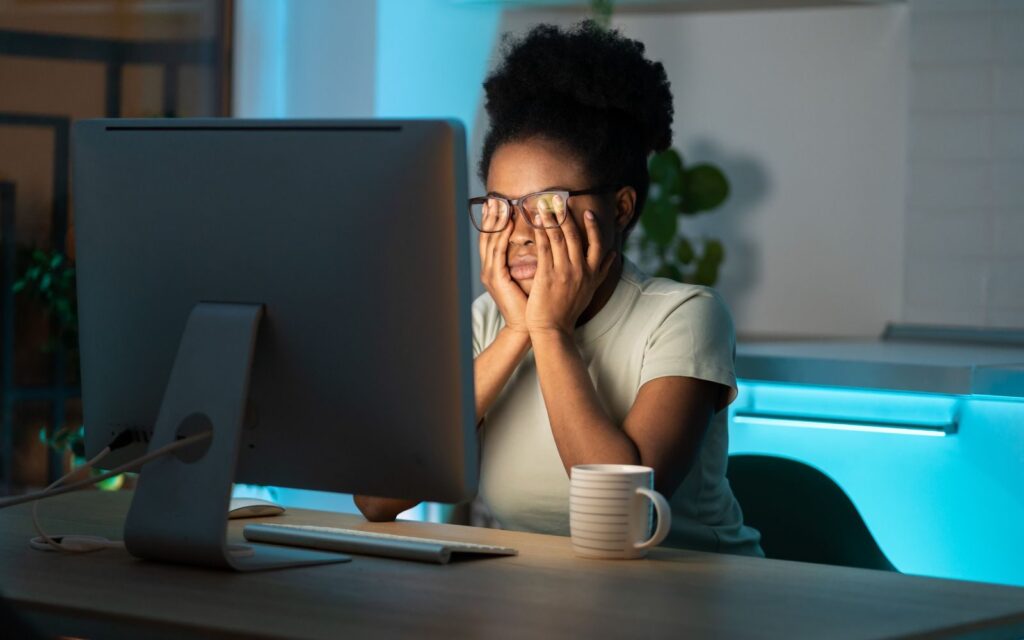
Your eyes were not built to hold a fixed, close focus for hours. Screens demand exactly that, plus constant small adjustments to brightness, contrast, and glare. The average adult now logs close to seven hours of screen time a day, and US figures run slightly higher at around seven hours, based on 2025 screen-time reporting compiled by industry trackers. Desk workers often sit well above that once work and personal use combine.
A big driver is blinking — or the lack of it. We normally blink around 15 to 20 times a minute, but that rate can fall by more than half during intense screen use, dropping to as few as 5 to 7 blinks per minute. Since blinking spreads the tear film that keeps eyes lubricated, less blinking means drier, grittier eyes. Research indexed through the National Library of Medicine has documented this drop in blink rate when reading from screens versus paper.
The symptoms to watch for
The American Optometric Association describes computer vision syndrome as a cluster of symptoms rather than a single problem. Common ones include dryness, burning or itching, blurred or double vision, trouble refocusing between near and far, light sensitivity, and tension headaches.
If your eyes feel worse by mid-afternoon and better after a weekend away from the desk, screens are almost certainly the cause.
How the 20-20-20 Rule Eases Digital Eye Strain At Work

The most popular remedy for digital eye strain at work is the 20-20-20 rule: every 20 minutes, shift your gaze to something at least 20 feet away for at least 20 seconds. It works by relaxing the focusing muscles that stay tensed during close work, and it nudges you to blink. The rule was created by optometrist Jeffrey Anshel in the late 1990s as a practical reminder, not a laboratory prescription.
The evidence is genuinely mixed, and it is worth being honest about that. Some earlier trials found little measurable change in eye metrics after two weeks. But newer work is more encouraging: a 2025 study of 268 adults with more than four hours of daily screen use, published in the Indian Journal of Clinical and Experimental Ophthalmology, reported that consistent use of the rule reduced symptom severity by roughly 60 to 70%. My take is simple — the rule costs nothing, builds a healthy break habit, and pairs well with standing up to move.
To make it stick, I anchor breaks to work I am already doing: the end of an email, a finished paragraph, or a timer. Standing for those 20 seconds turns an eye break into a posture-and-movement break too. If you struggle to remember, pair it with the same rhythm you might use for movement snacks at work, so one cue triggers both.
Set Up Your Screen and Lighting
Break timing helps, but your physical setup does the heavy lifting. Position your monitor about an arm’s length away, with the top of the screen at or just below eye level so your gaze angles slightly downward — a position that exposes less of the eye surface and slows tear evaporation. Bump text size up until reading feels effortless; squinting is a strain multiplier.
Glare is the other culprit. Place your monitor perpendicular to windows rather than facing or backing them, and avoid harsh overhead light bouncing off the display. The American Optometric Association recommends matching screen brightness to the surrounding room and taking a longer 15-minute rest after every two hours of continuous screen work, guidance detailed by the AOA. Warmer color temperature or a dark mode in the evening can also feel easier on tired eyes.
The small sustainability angle
Here is a bonus I like: many eye-friendly tweaks are also energy-friendly. Lowering screen brightness from maximum, enabling dark mode, and leaning on daylight instead of blasting overhead lights all trim electricity use.
It is a modest effect per person, but across a workday and a whole office it adds up — comfort and lower consumption in the same move.
Habits That Support Your Eyes All Day
Eyes do not exist in isolation, so whole-body habits matter. Hydration keeps the tear film healthy, which is one more reason I keep water within reach; if that is a struggle for you, my notes on staying hydrated at work lay out easy systems. Sleep matters too, because eyes recover and re-lubricate overnight — short or poor sleep leaves them dry and sensitive the next morning, which is partly why I treat sleep hygiene as a vision habit, not just a rest habit.
Deliberate blinking is underrated. A few times an hour, close your eyes fully and slowly for a second or two; it re-coats the eye surface far better than the shallow half-blinks we default to at screens. And if your eyes stay red, gritty, or blurry even after these changes, see an optometrist — persistent symptoms can point to an underlying vision correction need rather than simple strain.
Summary
Digital eye strain is common, uncomfortable, and highly manageable. Because most screen workers experience it, the smart move is prevention: follow the 20-20-20 rule, blink on purpose, position and light your screen well, and back it all up with hydration and good sleep.
None of this requires special gear or much time — just a few cues woven into the day you already work. Treat your eyes like the hard-working tools they are, and the afternoon fog tends to lift.
Frequently Asked Questions
Does digital eye strain cause permanent eye damage?
For most people, no. Digital eye strain at work is uncomfortable but temporary, and symptoms usually fade with rest and better habits. It does not typically cause lasting harm to the eyes.
However, if symptoms persist despite good screen habits, that can signal an uncorrected vision issue worth checking with an eye-care professional.
Is the 20-20-20 rule actually proven to work?
The evidence is mixed but leans positive, especially in recent studies. Some trials found modest effects, while a 2025 study reported symptom-severity reductions of around 60 to 70% with consistent use.
Even where the data is uncertain, the rule is free, harmless, and builds a healthy break rhythm, so it remains a sensible default recommended by the American Optometric Association.
Do blue-light glasses help with digital eye strain?
Evidence for blue-light-blocking glasses reducing eye strain is weak; most controlled research has not found a meaningful benefit for strain symptoms specifically.
Strain comes mainly from prolonged focus, reduced blinking, and glare rather than blue light itself. Adjusting break timing, lighting, and screen distance tends to help far more.
How often should I take screen breaks at work?
A practical approach is the 20-20-20 rule for micro-breaks every 20 minutes, plus a longer 15-minute break after roughly two hours of continuous screen work, as the American Optometric Association suggests.
Pairing these with standing and light movement keeps your eyes, posture, and energy in better shape across the day.





2 Comments