Task Batching for Productivity: Focus Without the Switch


Task Batching for Productivity is the simplest productivity change I have ever made. Instead of reacting to work as it lands, I group similar tasks and complete them in one focused block. If you take one thing from this article, take this: batching your emails, messages, and small chores into a few set windows protects your attention, lowers your stress, and quietly trims the digital churn that drains both your focus and your devices’ energy.
I used to wear my constant tab-switching like a badge. Then I looked at what it was costing me. According to the American Psychological Association, the brief mental blocks created by shifting between tasks can eat up to 40% of someone’s productive time. Forty percent. That was the day I started batching in earnest, and I have not gone back.
Key Takeaways
- Task batching means grouping similar tasks -email, calls, admin, errands -and handling them together in dedicated blocks instead of one at a time all day.
- Context switching is expensive: the APA links repeated task-switching to losing up to 40% of productive time.
- Batching reduces the number of times you reorient, which knowledge workers do roughly 1,200 times a day, per Harvard Business Review research.
- It is a wellness win too -fewer interruptions mean measurably less stress and frustration.
- Batching notifications and trips also cuts needless device wake-ups and travel, a small but real sustainability gain.
What Task Batching Actually Is

Task batching is grouping tasks that use the same tools, mindset, or location, then doing them back-to-back. Answering ten emails in one sitting is batching. Making all your phone calls before lunch is batching. Running every errand on one loop instead of five trips is batching.
It is close to time blocking, but not the same. Time blocking schedules when you work; batching decides what goes together. The two pair beautifully — I block the time, then fill the block with a batch of like tasks. If you want the scheduling side, my guide to the benefits of time blocking for productivity covers it in depth.
The enemy batching fights is the switch. Harvard Business Review researchers who tracked 137 workers across three Fortune 500 companies found people toggled between applications about 1,200 times a day — nearly four hours a week, or 9% of their time, spent just reorienting. Batching shrinks that number by design.
Why Task Batching Beats Reacting All Day
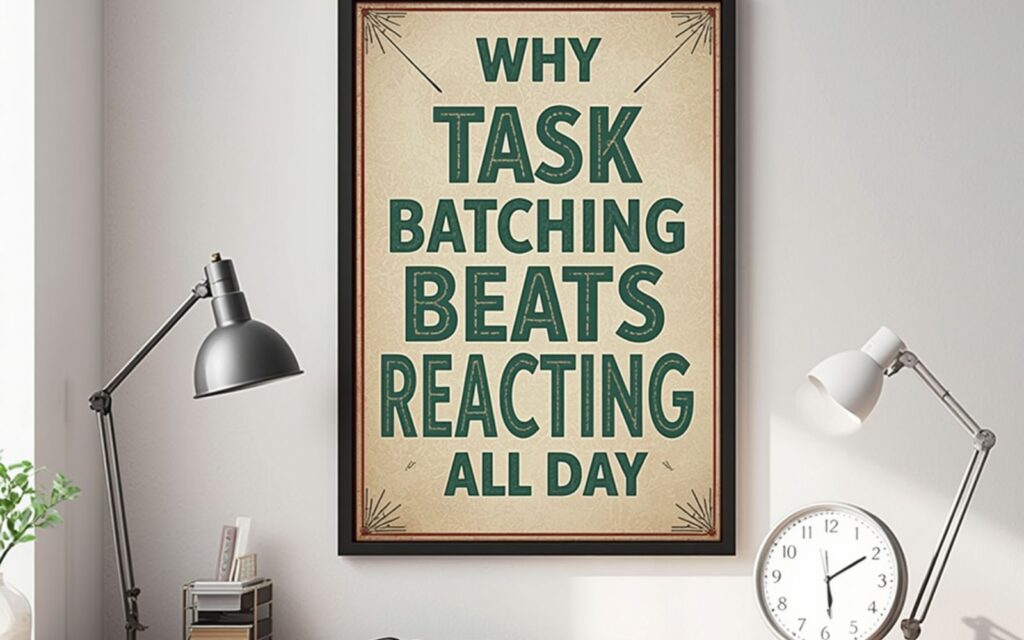
When you scatter similar tasks across the day, you pay the switching tax every single time. Your brain has to shut down the rules for one activity and load the rules for the next, and that reload is where the waste hides. Do it hundreds of times and the small costs compound into hours.
The focus cost is stark. Research popularized by UC Irvine’s Gloria Mark found it takes an average of 23 minutes and 15 seconds to fully return to a task after an interruption. If a stray Slack ping pulls you off deep work three times an hour, you may never truly get back to it. Batching removes the pings from your workflow instead of asking your willpower to ignore them.
There is a wellbeing payoff on top of the time savings. Mark’s follow-up work also shows our attention is fraying — the average time on a single screen fell from about 2.5 minutes in 2004 to roughly 47 seconds in her recent data. Constant switching also raises stress, frustration, and mental effort. Batching gives your nervous system fewer gear changes, which is a big reason I feel calmer on batched days.
How I Batch My Week
You do not need an app for this. Start by listing everything you do in a normal week, then sort tasks into families: communication, creation, admin, meetings, and errands. Those families become your batches.
Batch your communication
Email and chat are the worst offenders because they invite constant checking. I process mine in two or three fixed windows — mid-morning, after lunch, and late afternoon — and close the tabs in between. If something is truly urgent, people call. For more on protecting focus from these pulls, see my piece on how to minimize distractions at work.
Batch your deep work
I reserve my sharpest hours for one batch of demanding, similar work — writing, analysis, or planning — with notifications off. That is where the real output happens, and it is exactly the kind of block my guide to deep work for focus is built around.
Batch the small stuff
Expenses, approvals, scheduling, filing — none of it deserves prime brain time. I sweep all of it into one low-energy admin batch late in the day, when I am too tired for creative work anyway. Batching these micro-tasks is what finally stopped them from nibbling my mornings.
The Sustainability Angle Nobody Mentions
Batching is quietly green. Every notification you silence is a screen that stays dark and a device that is not woken from sleep. When I switched from all-day email to three windows, my laptop and phone simply did less work, which means less energy drawn over a day.
The bigger wins are physical. Batching errands into one trip instead of five cuts fuel and time; batching in-office days reduces commutes. It is the same logic behind sustainable commuting for employees — do related things together and you move less, spend less, and emit less. None of this is dramatic on its own, but habits repeated 250 workdays a year add up.
Common Mistakes to Avoid
The first mistake is making batches too big. A three-hour email marathon is as draining as constant checking. Keep batches to a focused chunk — 30 to 60 minutes for admin, longer for deep work — and take a real break between them.
The second is being rigid. Batching is a default, not a cage. Genuine emergencies break the batch; that is fine. The goal is to stop treating every minor ping as an emergency. If prioritizing what belongs in each batch is your sticking point, my notes on task prioritization strategies will help you decide what earns a block and what waits.
Summary
Task batching is grouping similar work and doing it in focused blocks instead of reacting to everything as it arrives. The research is blunt about why it matters: task-switching can cost up to 40% of productive time, workers toggle apps around 1,200 times a day, and it takes over 23 minutes to refocus after an interruption. Batch your communication, your deep work, and your small admin, keep the blocks a sensible size, and stay flexible for real emergencies. You will get more done, feel less frazzled, and — as a bonus — waste a little less energy and travel along the way.
Frequently Asked Questions
What is task batching in simple terms?
Task batching is grouping similar tasks together and completing them in one dedicated block of time rather than spreading them out and switching between different kinds of work all day. Answering all your emails at once, or making all your calls in a single window, are everyday examples.
How is task batching different from time blocking?
Time blocking decides when you will work on something by reserving slots on your calendar. Task batching decides what goes into a slot by clustering like tasks together. They work best as a pair: block the time, then fill it with a single batch of similar work so you are not constantly switching gears.
How many task batches should I have in a day?
There is no magic number, but most people do well with a handful — for example, one or two deep-work batches, two or three communication windows, and one admin sweep. Keep each batch a manageable size so it stays focused rather than turning into a marathon that drains you.
Does task batching really save time?
The evidence strongly suggests it does, because it reduces context switching, which the American Psychological Association links to losing up to 40% of productive time. By cutting the number of times you reorient between different tasks, batching recovers minutes that would otherwise vanish into mental reloads.
Can task batching help with stress and wellbeing?
Yes. Research connects frequent interruptions and switching with higher stress, frustration, and mental effort. Because batching reduces how often your attention is yanked around, many people — myself included — find batched days feel calmer and more in control, not just more productive.





5 Comments