
Wrist Pain at Work: How to Prevent Typing and Mouse Strain


Wrist pain at work is best prevented with three habits: keep your wrists in a neutral, straight position while you type, break up long stretches of keyboard and mouse use with short, frequent pauses, and set up your desk so your arms — not your wrists — do the moving. None of that requires expensive gadgets, and the research behind it is surprisingly strong.
I learned this the uncomfortable way. After years of writing about workplace wellness while ignoring my own hands, I started noticing a dull ache at the base of my right thumb by mid-afternoon, then pins and needles when I picked up a coffee cup. Nothing dramatic — which is exactly how repetitive strain works. It whispers for months before it shouts.
In this article I’ll walk through why desk workers are so prone to wrist and hand strain, how to tell garden-variety soreness from something that deserves a professional opinion, the exact setup changes and break habits that helped me, and a sustainability angle on ergonomic gear that almost nobody talks about. As always: I’m a workplace-wellness practitioner, not a clinician, so treat this as information, not medical advice.
Key Takeaways
- Wrist pain at work usually builds gradually from repetition, awkward angles, and static load — not from a single injury — which makes early prevention far easier than late repair.
- Work-related musculoskeletal disorders account for roughly one-third of the occupational injuries and illnesses employers report to the U.S. Bureau of Labor Statistics, according to OSHA.
- A neutral wrist — level with your forearm, not bent up, down, or sideways — is the single most important position habit for typing and mouse use.
- In a NIOSH field study, adding four extra five-minute breaks to the workday reduced upper-body discomfort in data-entry workers without reducing output at all.
- Persistent numbness, tingling, or night symptoms are signals to see a professional, not something to push through.
- Buying refurbished or secondhand ergonomic equipment protects your wrists and keeps electronics and furniture out of the waste stream.
Why Wrist Pain at Work Is So Common

Desk work looks harmless. But a full-time keyboard job can involve tens of thousands of keystrokes a day, thousands of small mouse movements, and hours of holding the same posture — a combination of repetition and static muscle load that hands and forearms were never designed for.
The scale of the problem is well documented. In its ergonomics rulemaking, the Occupational Safety and Health Administration reported that work-related musculoskeletal disorders account for about one-third of all occupational injuries and illnesses reported to the Bureau of Labor Statistics each year — the largest single category of job-related injury in the United States. OSHA put the direct bill at $15–20 billion a year in workers’ compensation costs, roughly one dollar of every three spent on workers’ comp overall.
What Repetitive Strain Actually Is
“Repetitive strain injury” is an umbrella term, not a single diagnosis. It covers irritation of the tendons that run through your wrist, the sheaths those tendons slide through, and the nerves that share the same crowded passageways — most famously the median nerve in the carpal tunnel.
Three ingredients do most of the damage: repetition (the same small motion over and over), awkward positioning (wrists cocked upward on a high keyboard, or bent sideways toward the mouse), and duration (hours without meaningful rest). Remove any one ingredient and the risk drops. Remove two and most desk workers’ symptoms never start.
Is It Carpal Tunnel Syndrome or Something Else?
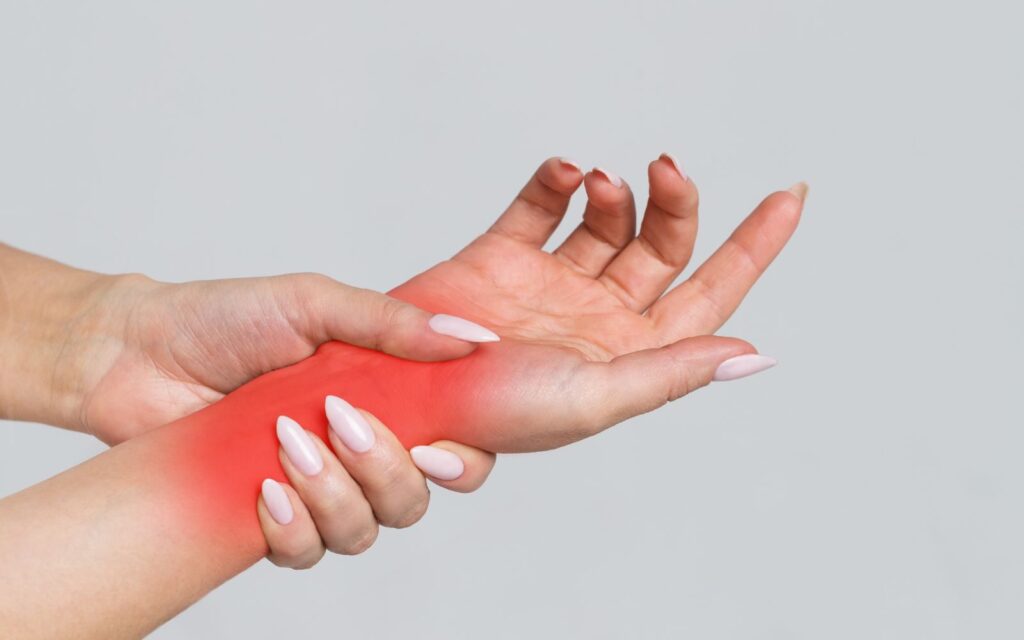
Carpal tunnel syndrome gets all the headlines, and it is genuinely common: a pooled analysis of six prospective U.S. studies published in Occupational and Environmental Medicine found that 7.8% of the working populations studied met the case definition for carpal tunnel syndrome. That is close to one in twelve workers.
According to the National Institute of Neurological Disorders and Stroke, carpal tunnel syndrome is one of the most common nerve compression conditions, its symptoms usually start gradually — often with numbness or tingling in the thumb, index, and middle fingers that shows up at night — and women are more likely than men to develop it.
But plenty of desk-related wrist pain isn’t carpal tunnel at all. Aching on the thumb side of the wrist is more typical of tendon irritation such as De Quervain’s tenosynovitis; soreness across the top of the wrist often traces back to “wrist extension” — typing with hands angled upward. The practical point: don’t self-diagnose. If symptoms persist beyond a couple of weeks, involve numbness or weakness, or wake you at night, research consistently supports getting assessed early rather than waiting.
The Desk Setup That Keeps My Wrists Neutral
Neutral is the whole game. Your wrist is neutral when your hand lines up with your forearm — no upward bend, no downward droop, no sideways lean. Every setup change below exists to make neutral the default rather than something you have to remember.
Keyboard Height and Angle
Your keyboard should sit low enough that your elbows stay at roughly a right angle or slightly open, with shoulders relaxed. If your desk is too high and can’t be lowered, raise your chair and support your feet rather than letting your wrists pay the difference.
Counterintuitively, those little flip-out feet at the back of most keyboards make things worse: they tilt the keys toward you and force your wrists into extension. I keep mine flat, and my hands float over the keys while typing instead of anchoring on the desk edge. A palm rest is for micro-pauses between bursts of typing — not something to plant your wrists on while your fingers reach.
Mouse Grip and Placement
The mouse causes more wrist trouble in my experience than the keyboard, because it concentrates thousands of tiny motions into one hand held in one position. Keep it directly beside the keyboard so you aren’t reaching, move it from the elbow and shoulder rather than by planting your wrist and swiveling, and loosen your grip — most of us clutch a mouse far harder than clicking requires.
Two cheap tactics that helped me more than any gadget: I turned up my pointer speed so small hand movements cover the whole screen, and I learned the keyboard shortcuts for my ten most common actions. Every shortcut is a mouse motion that never happens. On heavy editing days I also switch the mouse to my left hand for an hour — clumsy at first, genuinely restful now.
Chair, Desk, and Armrests
Wrist position starts at the shoulder. A chair that leaves your shoulders shrugged or your elbows winged outward will cock your wrists no matter how carefully you place the keyboard. Set armrests (if you use them) so your forearms rest lightly and level, and keep frequently used items close enough that you aren’t repeatedly reaching. Your wrists sit at the end of a whole postural chain — the same chain I wrote about in my piece on tech neck at work, and fixing one link tends to help the others.
Breaks Beat Braces: What the Research Says
If I could prescribe only one habit, it would be short, frequent breaks — and this is one of the best-studied interventions in office ergonomics. In a NIOSH field study of 42 data-entry operators at an IRS processing center, researchers compared a conventional schedule of two 15-minute breaks against the same schedule plus four extra five-minute breaks spread through the day.
The results should be printed on every office wall: workers on the supplementary schedule consistently reported less upper-body discomfort, eye soreness, and visual blurring — while the quantity and quality of their work, measured in keystrokes and typing accuracy, stayed the same. Twenty minutes of added rest cost the employer nothing in output.
The mechanism matters: tendons and muscles under repetitive, low-level load recover quickly during short pauses, so scattering many small breaks through the day interrupts the accumulation of strain in a way that one long lunch break can’t. I run mine as micro-movement breaks — stand, roll my shoulders, shake out my hands, look out the window — the same approach I detailed in my article on movement snacks at work. My rule of thumb in 2026: hands off the keyboard for at least a minute or two every half hour, plus a real break every ninety.
Practical Ways to Prevent Wrist Pain at Work
Here is the full checklist I actually follow, combining the setup and break principles above with a few extra habits that research and experience support.
Keep wrists neutral and floating. Flat keyboard, hands hovering while typing, no planting your wrists while fingers stretch. Check yourself once an hour at first; it becomes automatic within a few weeks.
Take the breaks before you need them. Schedule them if you have to. Discomfort is a lagging indicator — by the time your wrist aches, the strain happened an hour ago.
Do gentle range-of-motion movements. During breaks I slowly circle my wrists, spread and relax my fingers, and gently stretch each forearm. Studies of stretching programs pair them with rest breaks rather than treating them as a substitute — movement complements recovery, it doesn’t replace it. Keep every stretch pain-free.
Cut the input you don’t need. Keyboard shortcuts, text expansion for phrases you type daily, and dictation software for long drafts all remove thousands of repetitions a week at zero cost.
Rotate your tasks. I batch typing-heavy work and break it up with reading, calls, and planning so no single tissue works all day. Task variety is built into most modern ergonomics guidance for exactly this reason.
Stay warm. Cold hands are stiff hands. If your office runs chilly, warming your hands before a long typing session simply makes the work feel lighter — one more reason thermal comfort belongs in every wellness conversation.
Ergonomic Gear Without the E-Waste
Ergonomics has a consumption problem. The moment your wrist twinges, an industry stands ready to sell you a vertical mouse, a split keyboard, a brace, and a desk — and when the gadget doesn’t fix a habit problem, it goes in a drawer and eventually a landfill.
My rule: fix position and breaks first, then buy the one tool that addresses a specific remaining problem — and buy it used or refurbished when you can. Ergonomic keyboards and mice are durable goods; secondhand ones work exactly as well. The stakes are real: the Environmental Protection Agency notes that recycling one million laptops saves energy equivalent to the electricity used by more than 3,500 U.S. homes in a year, and a million recycled cell phones yield about 35,000 pounds of recoverable copper — figures that hint at how much material sits in the electronics we discard.
The same thinking applies to chairs and desks, where the embodied carbon is even larger. I covered where to find quality used pieces in my guide to recycled office furniture options. Your wrists don’t care whether the equipment is new — they care whether it puts you in neutral.
When to Stop Self-Managing and Get It Checked
Everything above is prevention and comfort — it is not treatment. Research and clinical guidance are consistent that some symptoms warrant professional assessment rather than another setup tweak: numbness or tingling that keeps returning, symptoms that wake you at night, weakness or clumsiness when gripping, pain that persists for weeks, or any loss of sensation.
Early assessment matters because nerve compression responds far better to early intervention, and because a clinician can tell apart conditions that a desk worker cannot. Seeing a doctor about your hands is not an overreaction; they are the tools you work with every day.
Summary
Wrist pain at work develops quietly, from repetition, awkward angles, and marathon sessions without rest — and it responds best to boringly simple prevention. Keep your wrists neutral with a flat, properly placed keyboard and a loosely gripped mouse moved from the elbow. Scatter short breaks through the day; NIOSH’s field research shows they reduce discomfort without costing any output. Cut unnecessary keystrokes and mouse motion, rotate tasks, and stay warm.
When you do buy equipment, buy deliberately and secondhand where possible — good for your hands, good for the waste stream. And treat persistent numbness, night symptoms, or weakness as a medical question, not an ergonomic one. Your hands will still be typing decades from now; the habits you build this month decide how that feels.
Frequently Asked Questions
What does wrist pain at work usually feel like at first?
Early repetitive strain typically shows up as a dull ache, fatigue, or stiffness in the wrist, forearm, or base of the thumb toward the end of the workday, often disappearing overnight. Because early symptoms fade with rest, people tend to dismiss them — which is precisely the window when setup changes and extra breaks are most effective.
Can typing really cause carpal tunnel syndrome?
The relationship is more nuanced than headlines suggest. Carpal tunnel syndrome involves compression of the median nerve, and research links sustained awkward wrist postures and forceful, repetitive hand work to increased risk, while ordinary typing in a neutral position appears far less risky. Personal factors also play a role — the National Institute of Neurological Disorders and Stroke notes the condition is more common in women. The sensible takeaway is to control what you can: posture, force, and rest.
Do wrist rests actually help?
They help when used correctly and hurt when used wrongly. A padded rest is for supporting your palms during pauses between typing bursts. If you plant your wrists on it while typing, you anchor the wrist and force your fingers to overreach, and pressing the underside of your wrist into a surface adds direct pressure exactly where you don’t want it. Hover while typing, rest while pausing.
How often should I take breaks to protect my wrists?
The NIOSH data-entry study found clear benefits from adding four five-minute breaks across a workday on top of two conventional fifteen-minute breaks — with zero loss of productivity. As a practical pattern, briefly take your hands off the keyboard every twenty to thirty minutes, and step away properly every hour or two. Frequency beats duration: many small pauses outperform one long one.
Should I buy an ergonomic keyboard or mouse?
Fix your positioning and break habits first, because no device compensates for bent wrists and four-hour unbroken sessions. If a specific problem remains — say, your shoulders are wide and a standard keyboard forces your wrists to angle inward — then a split keyboard or a vertical mouse addresses that directly. Consider refurbished or secondhand units; they perform identically and keep electronics out of the waste stream.
When should I see a doctor about wrist pain?
See a professional if you notice numbness or tingling that keeps returning, symptoms that wake you at night, weakness or dropping objects, visible swelling, or pain lasting more than a couple of weeks despite better setup and breaks. Nerve-related conditions respond much better to early attention, and only a clinician can properly distinguish between the possibilities.